On-Screen Keyboard
Scenario
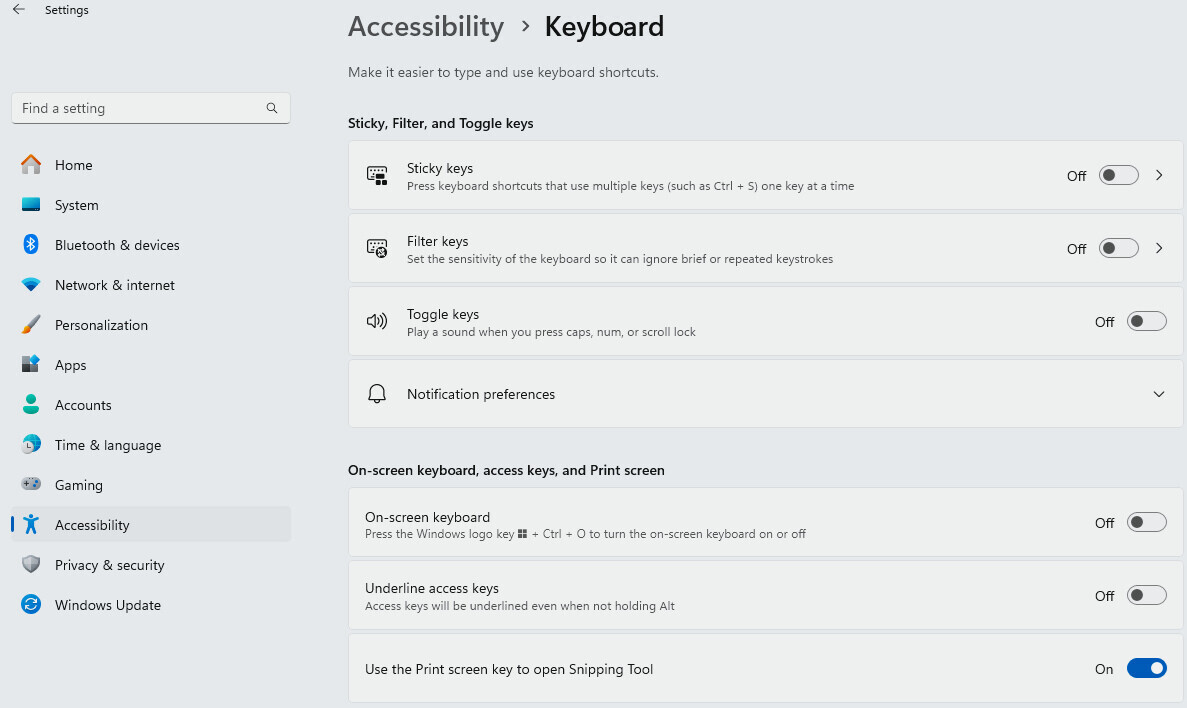
You want to disable the on-screen keyboard on the Desigo CCstation monitor. In the Windows Settings pages, you need to ensure that the On-Screen Keyboard option is set to Off.
Turn off on-screen keyboard
- In Settings, go to Accessibility > Keyboard
- Set On-screen keyboard to Off.
NOTE: In Windows 11 Settings, the Time & Language > Typing page contains an additional subset of advanced keyboard options, which might be useful in specific cases.
Refer to Windows 11 documentation.